Bambu Lab A2L vs Anycubic Kobra 3 Max: Which Affordable Large Format 3D Printer Is Best for Beginners?
Do you really need 420mm of build volume? We put the Bambu Lab A2L and Anycubic Kobra 3 Max head-to-head to find out which affordable large format 3D printer actually deserves your money in 2026.
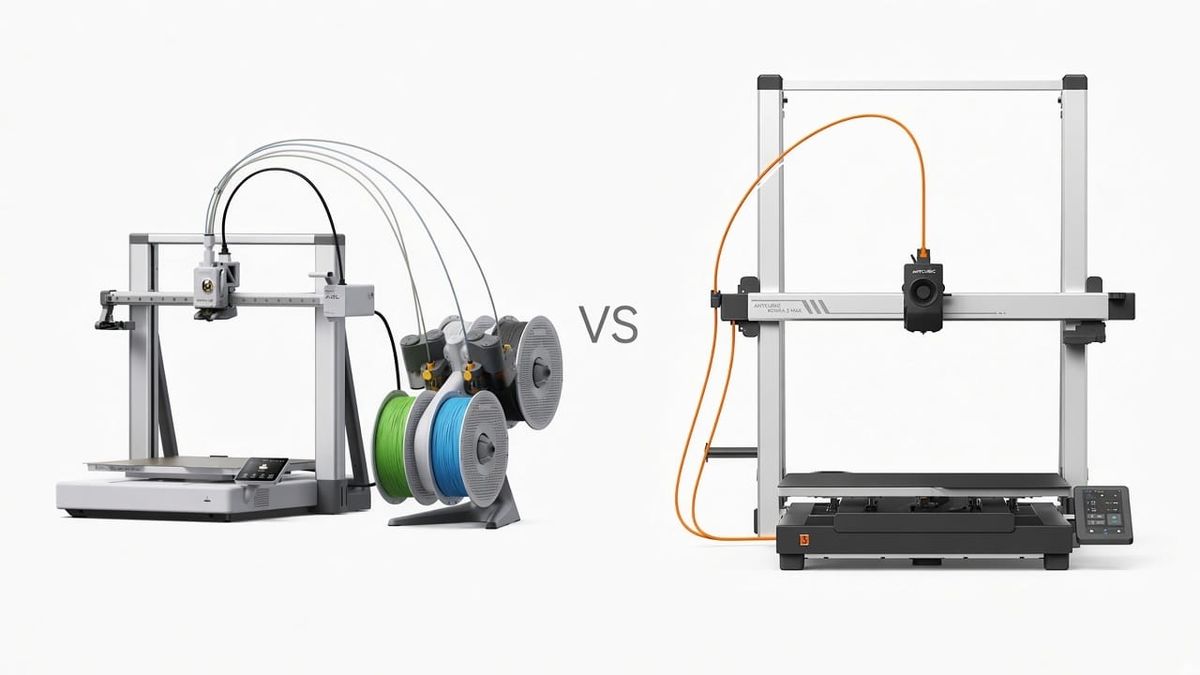
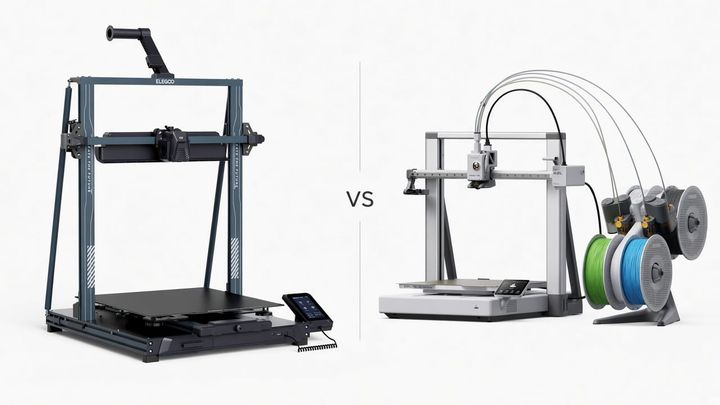
If you've been searching for an affordable large-format 3D printer for beginners, you've probably landed on two machines: the Bambu Lab A2L and the Anycubic Kobra 3 Max. Both cost under $600. Both promise big prints and fast speeds. On paper, they look surprisingly similar.
But after spending weeks with both printers on our bench, we can tell you: the biggest printer isn't always the best printer — especially if you're just getting started. The Kobra 3 Max's 88-liter build volume sounds incredible until you're three hours into a bed adhesion nightmare at 3 AM, wondering why your 20-hour print just popped off the corner.
Here's the honest breakdown.
Quick Comparison — A2L vs Kobra 3 Max at a Glance
| Feature | Bambu Lab A2L | Anycubic Kobra 3 Max |
|---|---|---|
| Price (standalone) | $469 | $493 |
| Price (multi-color combo) | $569 (w/ AMS Lite) | $574 (w/ ACE Pro) |
| Build Volume | 330 × 320 × 325 mm (34L) | 420 × 420 × 500 mm (88L) |
| Max Print Speed | 500 mm/s | 600 mm/s (300 recommended) |
| Max Acceleration | 10,000 mm/s² | 10,000 mm/s² |
| Max Nozzle Temp | 300°C | 300°C |
| Max Bed Temp | 80°C | 90°C |
| Multi-Color | Up to 19 colors (AMS) | Up to 8 colors (ACE Pro) |
| Auto-Calibration | Full auto + flow dynamics + servo monitoring | LeviQ3.0 auto-level + Z-offset |
| Noise (Quiet Mode) | 49 dB | ~60 dB |
| Camera | Built-in 1080p + timelapse | Not included |
| Weight | 12.8 kg | 19 kg |
| Materials | PLA, PETG, TPU, PVA, PLA-CF, PETG-CF | PLA, PETG, ABS, TPU |
| Software | Bambu Studio + Bambu Handy app | Anycubic Slicer Next + app |
Both machines are solidly in the affordable 3D printer territory. But they take very different approaches to what "large format" should mean for home users.
Build Volume: Do You Actually Need 400mm+?
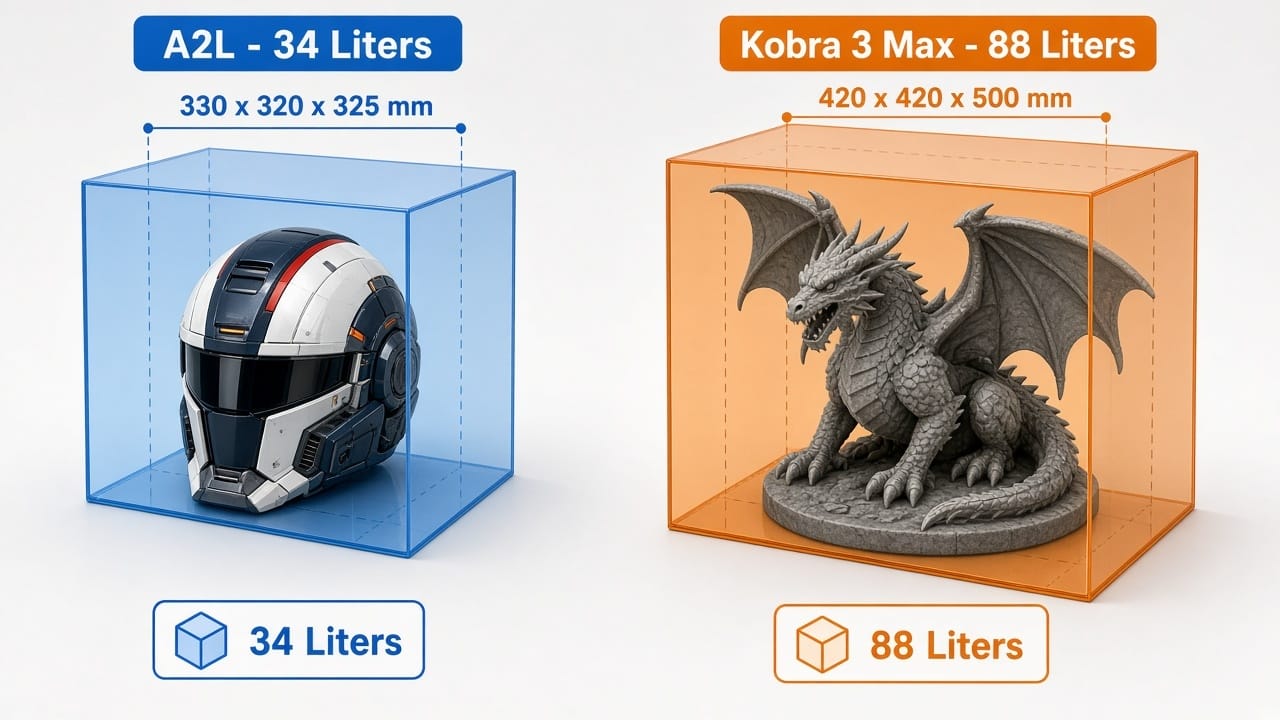
The Numbers — 34 Liters vs 88 Liters
Let's not sugarcoat it: the Kobra 3 Max has a massive build volume. At 420 × 420 × 500 mm, it packs 88 liters of printable space — more than 2.5 times the A2L's 34 liters. If you need a large build volume 3D printer for oversized cosplay armor, full-scale architectural models, or large functional enclosures, that's a genuine advantage nobody can argue with.
But here's the question worth asking before you buy: what are you actually going to print?
What Beginners Actually Print (Be Honest With Yourself)
We asked around in beginner communities — Reddit, Facebook groups, Discord servers — and the top first-year projects are pretty consistent:
- Figurines and tabletop miniatures (under 200mm)
- Phone stands, desk organizers, household gadgets (under 250mm)
- Cosplay helmets — one of the biggest common projects — and a full-size adult helmet fits the A2L in one piece
- Replacement parts, brackets, mounts (rarely over 300mm)
- Multi-color decorative prints, where color matters more than size
The A2L's 330mm build volume handles 90–95% of what beginners actually make. We printed a full Mandalorian helmet on the A2L without splitting it — it fit with about 10mm to spare on each side.
Going bigger also means dealing with warping on large surfaces, which is honestly one of the most maddening issues for new makers. A 420mm heated bed needs much more careful leveling and adhesion prep than a 330mm one. Neither printer has an enclosure (check our enclosed vs. open 3D printer guide if that matters to you), and large flat prints on open-frame machines are notorious for curling at the corners.
That said — if you know you need to print full-body armor panels or large architectural pieces, the Kobra 3 Max's volume is genuinely useful. Just make sure you're buying for projects you'll actually do, not hypothetical ones.
Multi-Color Printing: The Feature Nobody Compares on Large Format Printers
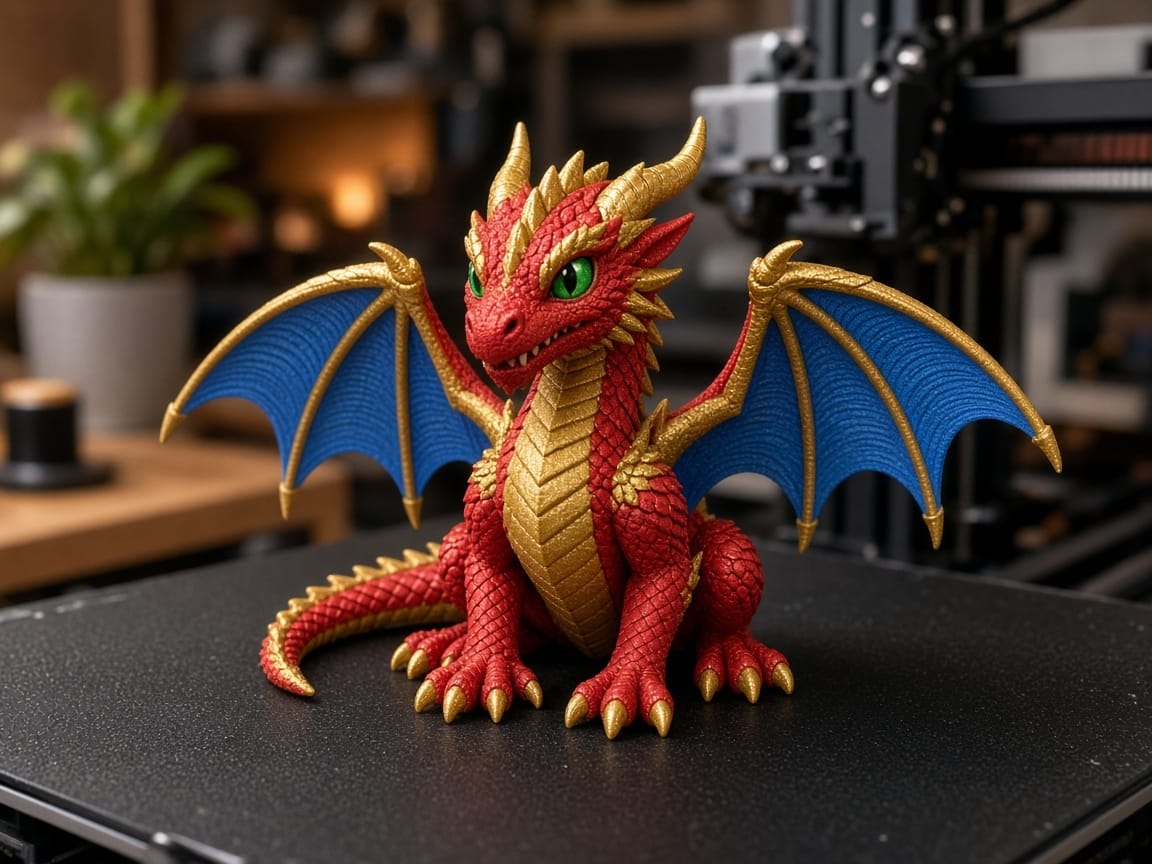
This is where most large format 3D printer roundups completely drop the ball. They'll compare build volume, speed, and price, but nobody talks about multi-color capability. That's a big miss, because it's actually one of the largest differentiators between these two machines.
AMS Lite vs ACE Pro — How They Stack Up
The A2L Combo ($569) ships with the AMS Lite — Bambu's multi-material system that gives you 4 colors out of the box. You can daisy-chain multiple AMS units for up to 19 colors in a single print. Bambu has been refining this system since the X1 Carbon days, so filament switching is reliable, purge management is smart, and Bambu Studio handles color assignment with drag-and-drop ease. In our testing, color swaps worked cleanly about 97% of the time — the occasional jam usually came from damp filament, not the AMS itself.
The Kobra 3 Max Combo ($574) includes the ACE Pro, supporting 4 to 8 colors. It has a nice built-in filament drying feature, which is a genuine perk. But the ACE Pro is a newer platform with less community support and fewer tested multi-color profiles. We ran into a couple of color-bleed issues that required manual purge tower tuning — something Bambu Studio handles automatically.
Both combos cost almost the same (~$570), but the Bambu ecosystem is simply more mature. If you want to print multi-color figurines, signs with embedded text, or anything where clean color boundaries matter — the A2L is the stronger choice as a large format 3D printer with multicolor.
Why Multi-Color Matters More Than You'd Think
Multi-color isn't just a gimmick. It lets beginners pull a finished-looking print straight off the bed — no painting, no gluing separate pieces. For families, crafters, and people exploring 3D printing for the first time, the "wow factor" of a four-color dragon fresh off the printer? That's what keeps people printing.
Ease of Use: Which One Frustrates Beginners Less?
If you're reading a guide about large format 3D printers for beginners, ease of use probably matters more to you than peak speed numbers. And this is where the A2L pulls clearly ahead.
The A2L runs a full calibration sequence before every print — automatic bed leveling, flow dynamics calibration (it measures actual filament flow and compensates in real-time), and servo extruder monitoring. That last one is a big deal: the closed-loop motor detects clogs, grinding, and air printing as they happen and can pause the job before you waste hours of filament. During our testing, it caught two partial clogs that would have ruined overnight prints.
The Kobra 3 Max has LeviQ3.0 auto-leveling, which is solid — it probes the bed and builds a compensation mesh. It also does pressure advance and basic flow calibration. But it lacks the real-time extrusion monitoring, so if something goes wrong mid-print, it'll keep going until you notice (or until morning, when you find spaghetti).
For someone following a how to use a 3D printer guide for the first time, the A2L's "set it and forget it" approach removes the single biggest source of beginner frustration: mystery failures on unattended prints.
Software: More Than Just a Slicer
Most reviews focus on hardware. But you'll spend more time in your slicer than staring at your printer, so software matters — a lot.
Bambu Studio is built on PrusaSlicer's foundation, but Bambu has added deep multi-color integration, automatic support generation, and one-click printer profiles. It connects to the A2L over Wi-Fi: slice, send, and monitor from one app. The Bambu Handy mobile app shows a live camera feed, sends push notifications when prints finish, and can pause or cancel remotely. That built-in 1080p camera with timelapse recording? Genuinely fun. Watching a 6-hour print compressed into 30 seconds never gets old. That's half the joy of FDM 3D printing.
Anycubic Slicer Next is a competent slicer with a modern interface, and the Anycubic app supports remote control. It's improved a lot recently. But there's no built-in camera, and the software ecosystem isn't as tightly integrated — you'll occasionally need to fiddle with profiles that Bambu handles out of the box.
On software alone, the Bambu ecosystem is the most complete package you'll find in the best large 3D printer category at this price.
Noise, Speed, and Print Quality
Speed
Both printers are fast — this isn't 2022 anymore. The Kobra 3 Max advertises 600 mm/s but Anycubic recommends 300 mm/s for daily use (a hint that 600 causes quality issues on complex geometry). The A2L maxes at 500 mm/s with adaptive vibration compensation that adjusts its resonance model layer by layer as the print grows and the moving mass changes.
Real-world speed difference? Honestly, not dramatic. The A2L can sustain closer to its max without quality degradation, while the Kobra at 600 mm/s shows noticeable ringing on detailed models. At recommended speeds, they finish comparable prints within 10–15% of each other.
Noise
This matters way more than most spec sheets suggest. The A2L in quiet mode: 49 dB — about as loud as a quiet office. The Kobra 3 Max: ~60 dB — more like a running dishwasher.
That's an 11 dB difference. In perceptual terms, the Kobra sounds roughly twice as loud. If your printer lives in a living room, bedroom, or shared apartment — and for most beginners, it does — this is a huge quality-of-life difference. Especially on overnight prints.
Print Quality
The A2L's servo extruder (PMSM closed-loop motor) provides more consistent extrusion than a standard stepper, particularly at high flow rates. Combined with per-print flow calibration, this means cleaner surfaces, sharper corners, and less stringing on travel moves.
The Kobra 3 Max produces good prints for its size. At 300 mm/s, quality is solid. But push it toward 600 mm/s and you'll see ringing artifacts that the A2L's compensation system handles better. For detail-focused prints, the A2L has the edge. For massive, lower-detail functional prints, the Kobra is perfectly capable.
The Hidden Costs of Going Bigger (Nobody Talks About This)
A large scale 3D printer costs more to run than a mid-size one. Here's what bigger actually costs:
More filament. A 200mm-tall vase on the A2L uses maybe 80g of PLA (~$1.60). Scale that same vase to fill the Kobra's 500mm Z-height and you're looking at 350–500g (~$7–$10). Multiply by dozens of test prints while you're learning, and the filament bill quietly adds up.
Longer print times. That 12-hour print on the A2L? It might become a 30–36 hour marathon at Kobra scale. That's a day and a half of power, noise, and crossed fingers.
Bed adhesion headaches. A 420mm bed has ~75% more surface area than a 330mm one. Keeping even temperature across all that surface without an enclosure is tricky. New makers learn this the hard way when their 20-hour print decides to unstick at hour 16.
More nozzle wear. Longer prints mean more wear. You'll be cleaning and unclogging your nozzle more frequently with bigger, multi-day prints.
None of this makes the Kobra 3 Max a bad buy. It just means you should budget for the real cost of printing big, not just the sticker price.
Price — What You Actually Pay
| Configuration | Bambu Lab A2L | Anycubic Kobra 3 Max |
|---|---|---|
| Standalone | $469 | $493 |
| Multi-color combo | $569 (AMS Lite) | $574 (ACE Pro) |
| Starter filament (4 rolls PLA) | ~$60 | ~$60 |
| Estimated Year 1 total | ~$630–$700 | ~$650–$750 |
The pricing is extremely close. The A2L is actually $24 cheaper standalone and $5 cheaper in the multi-color combo. The real question isn't "which costs less" — it's "which gives you a better experience for essentially the same money?"
The Verdict: Who Should Buy Which?
- You're a beginner who wants the smoothest out-of-box experience
- You want multi-color printing with a mature, proven ecosystem
- You print in a shared or living space and need quiet operation
- You value software polish: camera, app monitoring, timelapse, one-click profiles
- Your projects fit within 330mm — which covers helmets, figurines, functional parts, and most things beginners print in year one
The A2L is the better printer for most beginners. Its 330mm build volume is genuinely large — big enough for a full cosplay helmet in one piece — and it pairs that size with a calibration system, software ecosystem, and multi-color capability that the competition can't match at $569.
- You specifically need prints larger than 330mm in any dimension
- You're printing full-body cosplay armor panels or large architectural models
- You need ABS (90°C bed vs A2L's 80°C)
- You plan large batch production runs where 88L = fewer batches
- Raw build volume is your #1 priority above all else
The Kobra 3 Max is an impressive machine for its price. That 420 × 420 × 500 mm build volume is genuinely huge — one of the largest consumer-grade printers under $500. If you know you need that space, nothing else at this price comes close. Just be prepared for the learning curve that comes with managing a bed that big.
Our recommendation for most beginners: The Bambu Lab A2L Combo at $569 is the best affordable large format 3D printer for beginners in 2026. You get large-enough build volume, multi-color printing, quiet operation, and the best software ecosystem in the business — all for essentially the same price as the competition.
FAQ — Large Format 3D Printers for Beginners
What is the largest a 3D printer can print?
Consumer large 3D printers typically max out around 400–500mm per axis. The Kobra 3 Max offers 420 × 420 × 500 mm, which is among the largest you'll find under $500. For truly huge 3D printers, industrial 3D printers like the Modix Big Meter (1,010 × 1,010 × 1,010 mm) or BigRep ONE can print meter-scale objects — but those cost $15,000–$50,000+. For home use, 300–500mm is the practical sweet spot.
How much does a giant 3D printer cost?
A big 3D printer for home use runs $400–$600 in 2026. The A2L starts at $469, the Kobra 3 Max at $493. Large-format industrial systems start around $2,500 and climb past $50,000 for professional machines. For beginners, the $450–$600 range delivers real large-format capability without industrial complexity or pricing.
What is the best 3D printer for larger prints?
It depends on your definition of "larger." For beginners who want the best large-format 3D printer overall — considering ease of use, print quality, multi-color, and software — the Bambu Lab A2L offers the strongest package at 330mm build volume. If maximum size is your only priority, the Anycubic Kobra 3 Max delivers the largest 3D printer build area under $500.
Are large 3D printers worth it?
Yes — if you pick the right size. A large 3D printer eliminates the need to split models into multiple pieces and glue them together, saving time and producing stronger parts. But bigger isn't automatically better. Larger prints use more filament, take longer, and are more prone to warping and adhesion issues. For most beginners, a mid-large format large format FDM 3D printer in the 300–350mm range (like the A2L) offers the best balance of capability and ease of use.
Comments ()