5 Best CO2 Laser Cutters in 2026 (Every Budget Covered)
Five CO2 laser cutters compared by use case, from hobbyist to small business production.
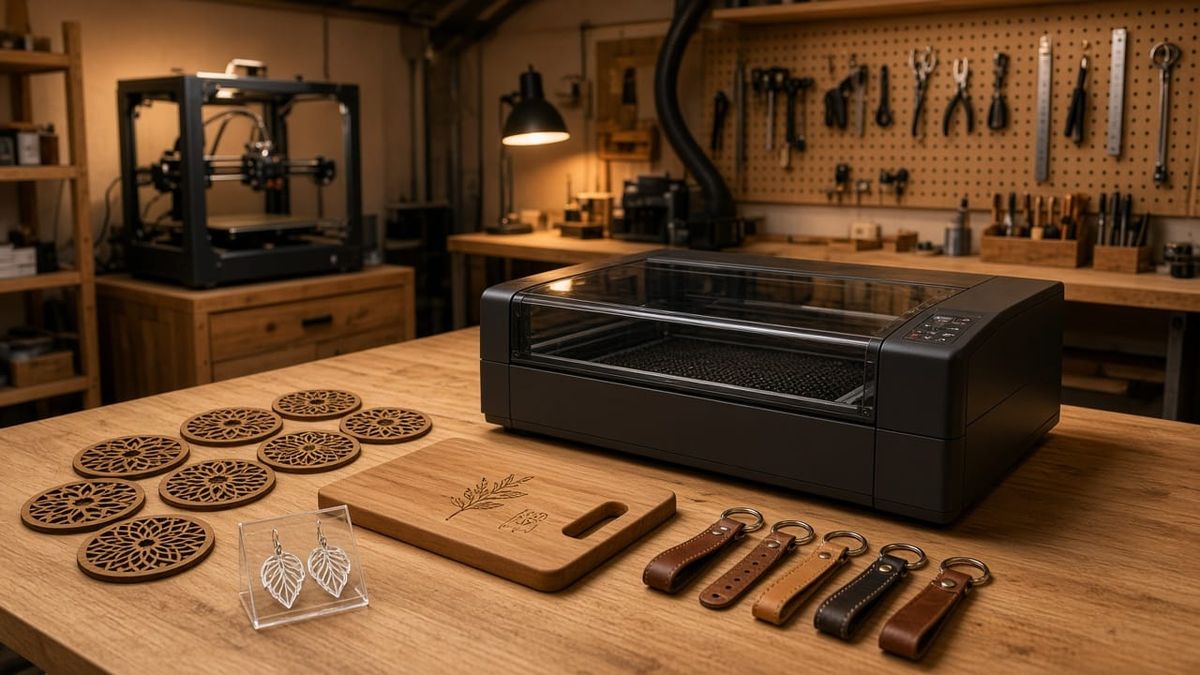
If you already own a 3D printer, a laser cutter is the single best tool you can add next. A CO2 laser cutter handles what FDM and resin simply cannot: slicing through 20 mm acrylic in one pass, engraving photos onto walnut, and cutting leather with surgical precision. I researched the current CO2 laser market and narrowed it down to five machines that cover every budget, from weekend hobbyist to full-time Etsy business.
Our Top Picks at a Glance
| Machine | Category | Power | Work Area | Price | Best For |
|---|---|---|---|---|---|
| Bambu Lab R1 | Best Overall | 55W | 600 × 300 mm | $2,499 | 3D printer owners expanding |
| xTool P2S | Best for Crafters | 55W | 600 × 305 mm | ~$2,999 | Etsy sellers, batch work |
| OMTech Polar Lite | Best Value | 55W | 500 × 300 mm | ~$2,199 | Budget hobbyists |
| xTool P3 | Best for Business | 80W | 915 × 458 mm | ~$4,999 | Production volume |
| Glowforge Pro | Easiest to Use | 45W | 495 × 279 mm | ~$5,999 | Zero learning curve |
What to Look for in a Desktop CO2 Laser Cutting Machine
Before picking a machine, know what actually matters:
Power (40–80W) determines how thick you can cut. A 55W CO2 laser handles 18 mm wood and 20 mm acrylic. 80W cuts faster and handles thicker stock. Below 40W, you'll struggle with anything beyond thin plywood.
Work area is your practical limit. 600 mm wide is the current sweet spot for desktop CO2 laser cutters. Anything smaller forces you to tile large projects.
Software can make or break the experience. Some machines use proprietary apps (Bambu Suite, Glowforge), others support LightBurn (the community standard). If you're coming from 3D printing, you'll appreciate a familiar interface.
Safety class matters more than you think. Class 1 machines keep the beam fully enclosed, so no goggles required. Class 4 machines need dedicated eye protection and a controlled workspace. For home use, stick with Class 1.
Ventilation is non-negotiable. Every CO2 laser produces smoke and fumes. You need either a window exhaust duct or a dedicated air purifier.
One quick note: if you're weighing CO2 against a cheaper diode laser, the short answer is that diode works for surface engraving but cannot cut clear acrylic or thick wood. CO2 is the only option for serious cutting. It's a similar decision to choosing between resin and filament 3D printers: different tools for fundamentally different jobs.
5 Best CO2 Laser Cutters Reviewed
1. Bambu Lab R1 ($2,499): Best Overall
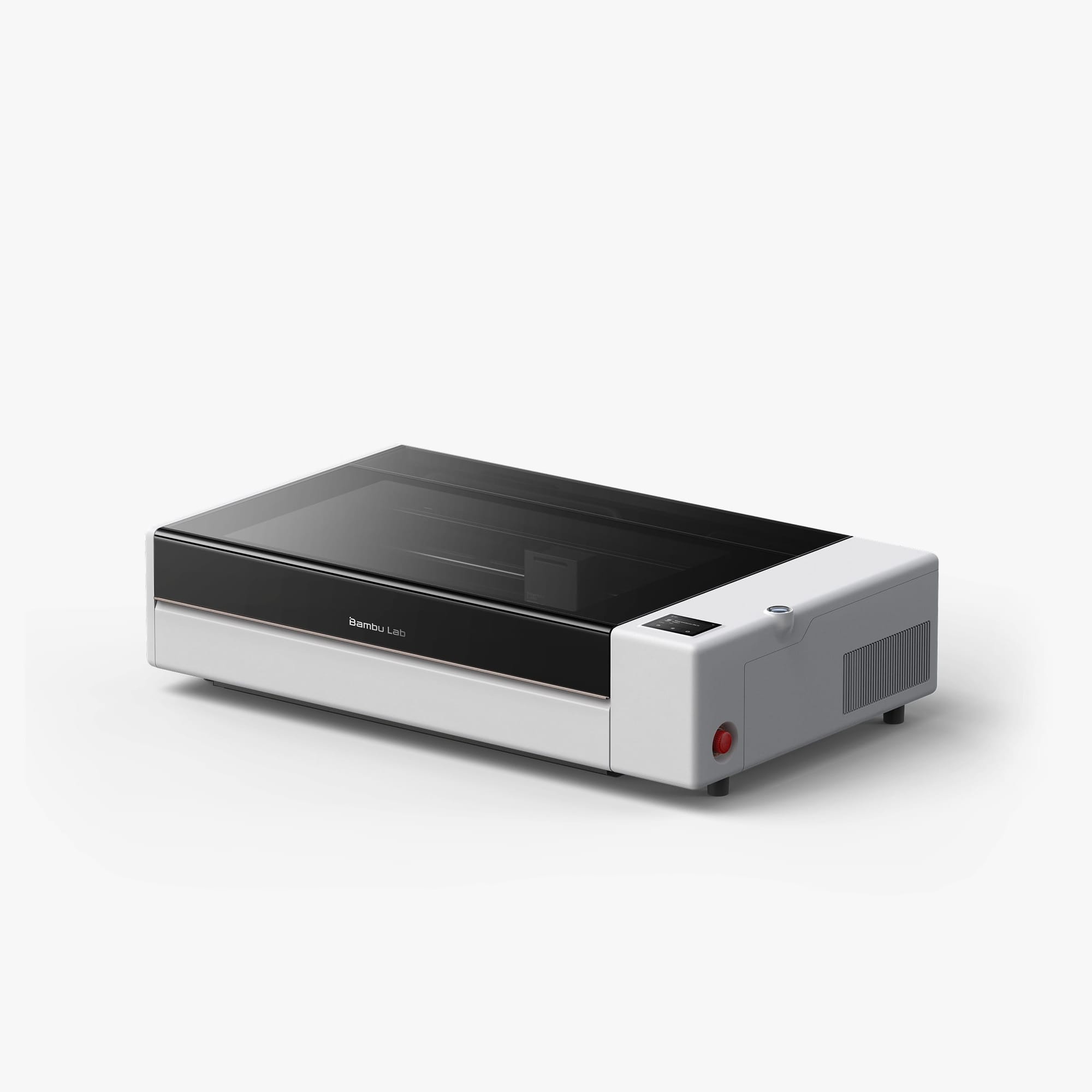
The Bambu Lab R1 is a 55W CO2 laser cutter with a 600 × 300 mm work area that extends to 3,000 mm with the optional conveyor. If you already own a Bambu Lab 3D printer, the R1 slots into your workflow perfectly: same Bambu Suite software, same ecosystem, same one-click approach.
The standout feature is automated optical path calibration. On traditional CO2 machines, aligning mirrors is a tedious manual process. The R1 does it in one minute with a sensor. Class 1 safety, BirdsEye camera for remote alignment, and speeds up to 1,000 mm/s round out the package.
Day-1 project: Cut a set of geometric plywood coasters and engrave a logo, total material cost under $2.
✅ Bambu ecosystem integration · Auto calibration · Best price for 55W ❌ Software still maturing · No LightBurn support · Heavy (33.5 kg)
2. xTool P2S (~$2,999): Best for Etsy Sellers
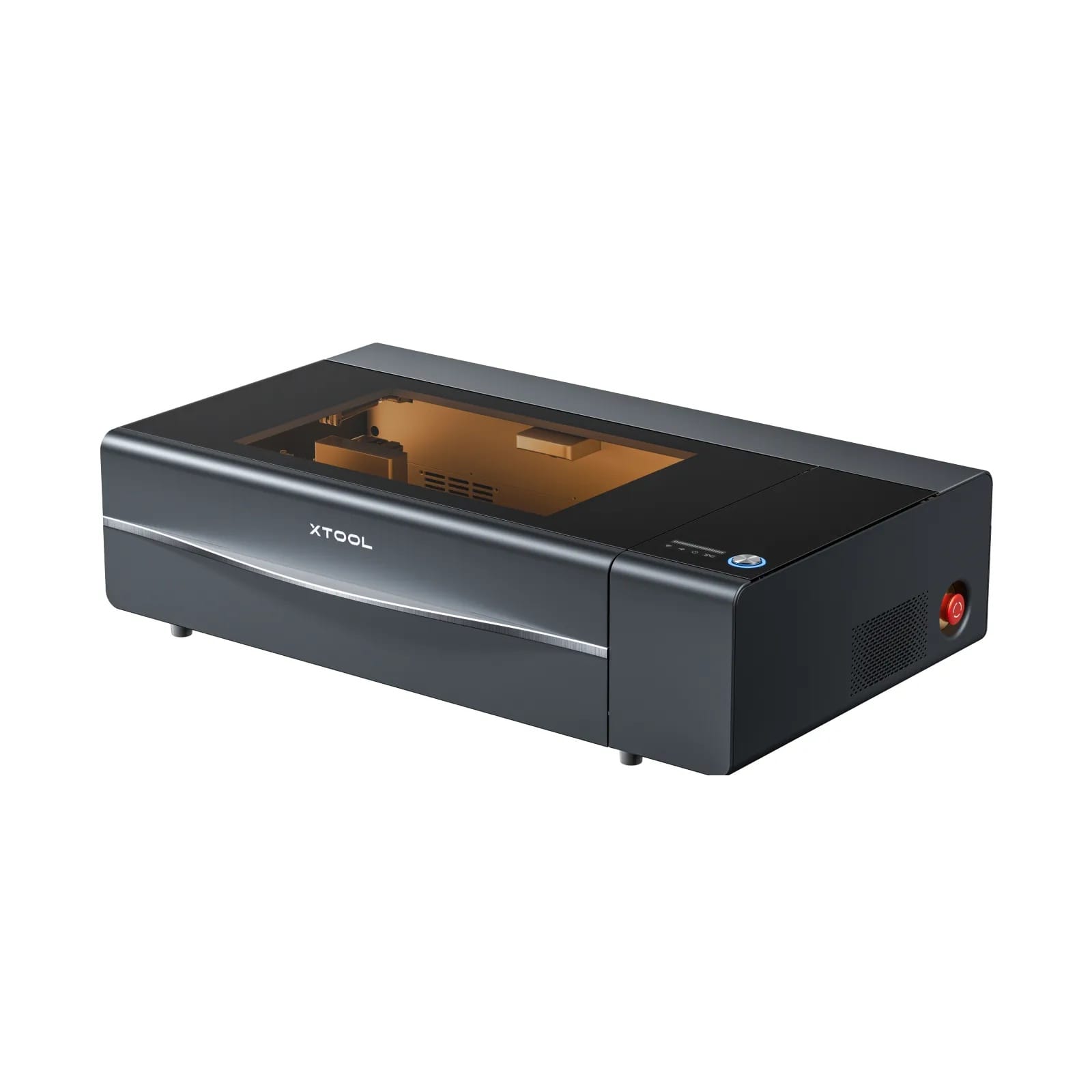
The P2S pairs a 55W CO2 laser with dual 16MP cameras that deliver 0.3 mm placement accuracy. That means you can place an irregularly shaped item (a cutting board, a phone case, a tumbler) on the bed, snap a photo, and align your design visually on screen. For batch production, this saves minutes per piece.
Auto-passthrough handles stock up to 118 inches, and curved surface engraving with the rotary attachment opens up tumblers and bottles. Supports both xTool Creative Space (free) and LightBurn.
Day-1 project: Engrave a personalized cutting board. Material: $3. Etsy listing price: $35.
✅ Dual camera placement · LightBurn compatible · Curved engraving ❌ More expensive than R1 · Larger footprint · Tube is a consumable
3. OMTech Polar Lite (~$2,199): Best Value
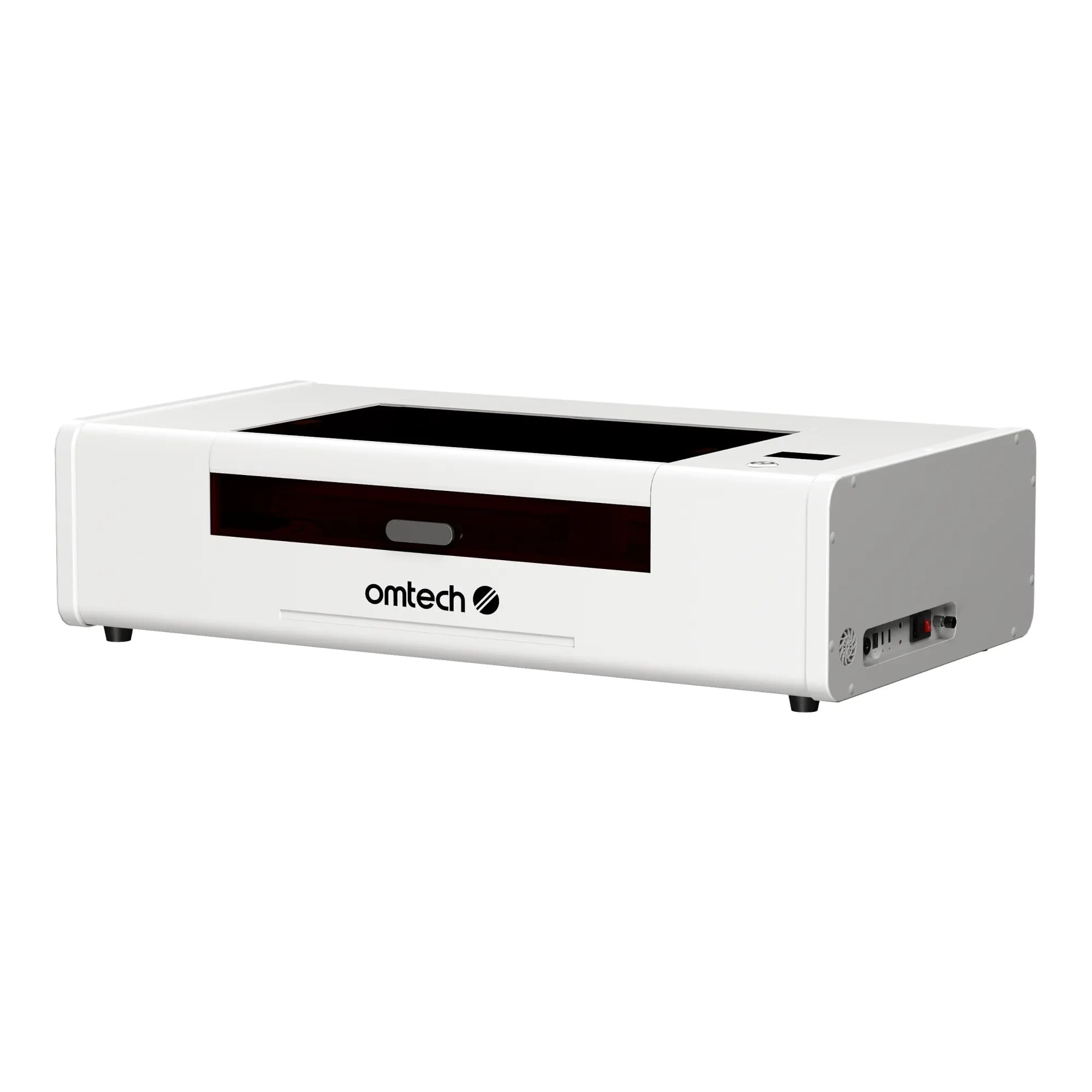
If budget is the primary concern, the Polar Lite delivers 55W CO2 power in a 500 × 300 mm work area at the lowest price in this class. It runs LightBurn natively and ships with a rotary attachment included. No camera placement system, no fancy automation, but the cutting performance matches machines $800 more expensive.
Day-1 project: Laser-cut wooden door signs and leather keychains for a local craft fair.
✅ Lowest price · LightBurn native · Rotary included ❌ Smaller work area · No camera alignment · Fewer smart features
4. xTool P3 (~$4,999): Best for Small Business
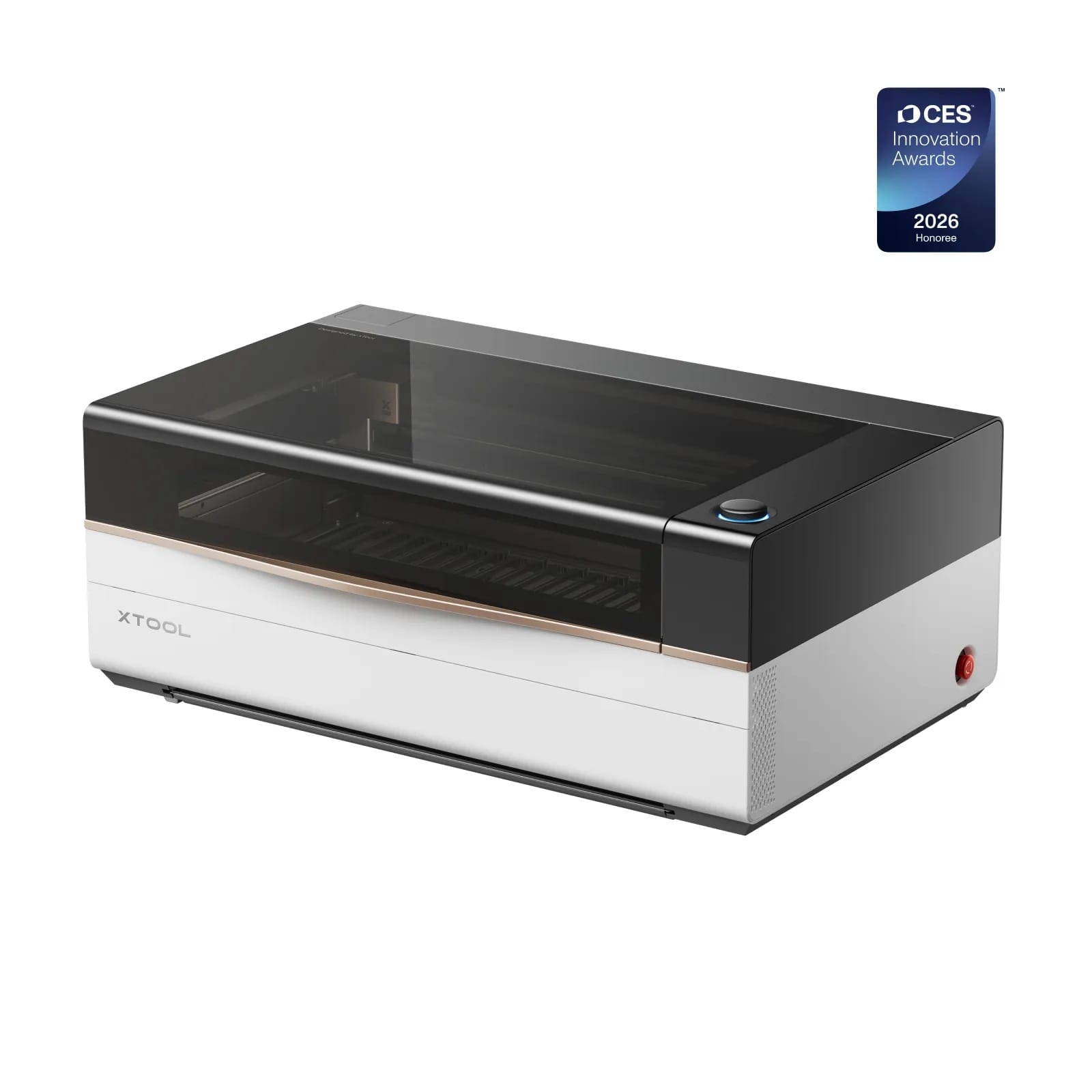
The P3 is built for production. An 80W CO2 tube in a 915 × 458 mm bed (36" × 18") means full-size acrylic sheets and sign blanks fit in a single run. The ACS automation system handles auto-positioning, LiDAR autofocus, and AutoLift, so you spend less time on setup and more time shipping orders.
This is the machine for someone running a full-time laser business: signage shops, custom furniture makers, wedding invitation studios.
Day-1 project: Cut a full-size acrylic storefront sign in one pass. What takes two tiled cuts on a 600 mm machine takes one job here.
✅ 80W power · Huge bed · Production automation ❌ $5K+ investment · Heavy and large · Overkill for hobbyists
5. Glowforge Pro (~$5,999): Easiest to Use
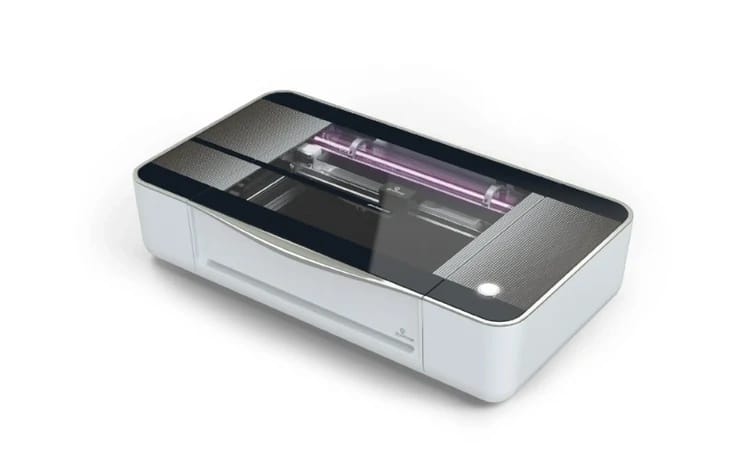
The Glowforge Pro is the Apple of laser cutters: cloud-based design interface, drag-and-drop workflow, and virtually zero learning curve. Upload an SVG, hit print, done. The unlimited passthrough slot handles longer stock.
The tradeoff is power (45W, lowest on this list), a subscription model for premium features, and no offline operation. But for someone who has never touched design software and wants to start making things today, nothing else is this simple.
Day-1 project: Upload a family photo, engrave it on a wooden frame, gift it the same afternoon.
✅ Absolute simplest setup · Beautiful industrial design · Great community ❌ 45W (weakest cutting) · Requires subscription · Cloud-dependent · Most expensive
CO2 Laser Cutting: What You Can Make (and What to Avoid)
A CO2 laser cutter for wood is the most common starting point. Plywood coasters, wall art, living-hinge boxes, and personalized signs all cut cleanly in a single pass. The best CO2 laser machines handle hardwoods up to 18 mm without charring.
CO2 laser for acrylic is equally impressive. Clear acrylic gets polished, flame-finished edges straight off the machine. Colored and mirrored acrylic work just as well. This is something diode lasers physically cannot do.
Other materials: leather wallets, fabric patterns, paper wedding invitations, cork trivets, EVA foam cosplay armor. For engraving only, you can etch glass, ceramic, and coated metals.
What to avoid: PVC releases toxic chlorine gas. Polycarbonate burns and produces harmful fumes. ABS melts and smokes. Bare metal reflects CO2 wavelengths entirely. If you've read our guide on whether 3D printing is toxic, the same principle applies: always check material safety before cutting.
Is a CO2 Laser Worth It? A Quick ROI Breakdown
Here's a real scenario using the Bambu Lab R1 ($2,499):
| Item | Numbers |
|---|---|
| Machine cost | $2,499 |
| Exhaust setup | ~$300 |
| Total investment | ~$2,800 |
| Personalized cutting board: Etsy price | $35 |
| Material cost per board | $3 |
| Profit per board | $32 |
| Boards per week (side hustle pace) | 5 |
| Monthly profit | ~$640 |
| Break-even | ~4.5 months |
That's a conservative estimate. Add laser-cut acrylic earrings ($12–20/pair, $0.50 material), leather keychains ($8–15 each), and custom wood signs ($40–80), and the math gets even better. Pair the laser with your 3D printer (print jigs, alignment fixtures, custom packaging inserts) and you have a two-machine production line.
FAQ
What is the typical cost of a CO2 laser cutter?
Desktop machines range from $2,000 to $6,000. The best value sits around $2,200–$2,500, where 55W CO2 lasers offer serious cutting power in a fully enclosed, Class 1 package.
What is the best CO2 laser engraver for beginners?
The Bambu Lab R1 ($2,499) if you want the smoothest setup and already use Bambu Lab 3D printers. The OMTech Polar Lite (~$2,199) if you want the lowest price and are comfortable learning LightBurn.
What can a CO2 laser not cut?
Bare metal (requires a fiber laser), PVC or vinyl (releases toxic chlorine gas), polycarbonate (burns, toxic fumes), and ABS (melts, harmful smoke). CO2 can engrave coated metals and glass, but cannot cut through them.
Is a CO2 laser engraver worth it?
For anyone selling handmade products, absolutely. Most owners break even within 3–6 months of Etsy or craft fair sales. For pure hobbyists, it depends on frequency of use. If you'd use it weekly, the investment pays back in creative output alone.
Comments ()