3D Printer Nozzle Sizes Explained: Which Size Do You Actually Need?
The 0.4mm nozzle handles most prints. But knowing when to go bigger or smaller can cut your print time in half — or unlock detail you didn't think was possible.
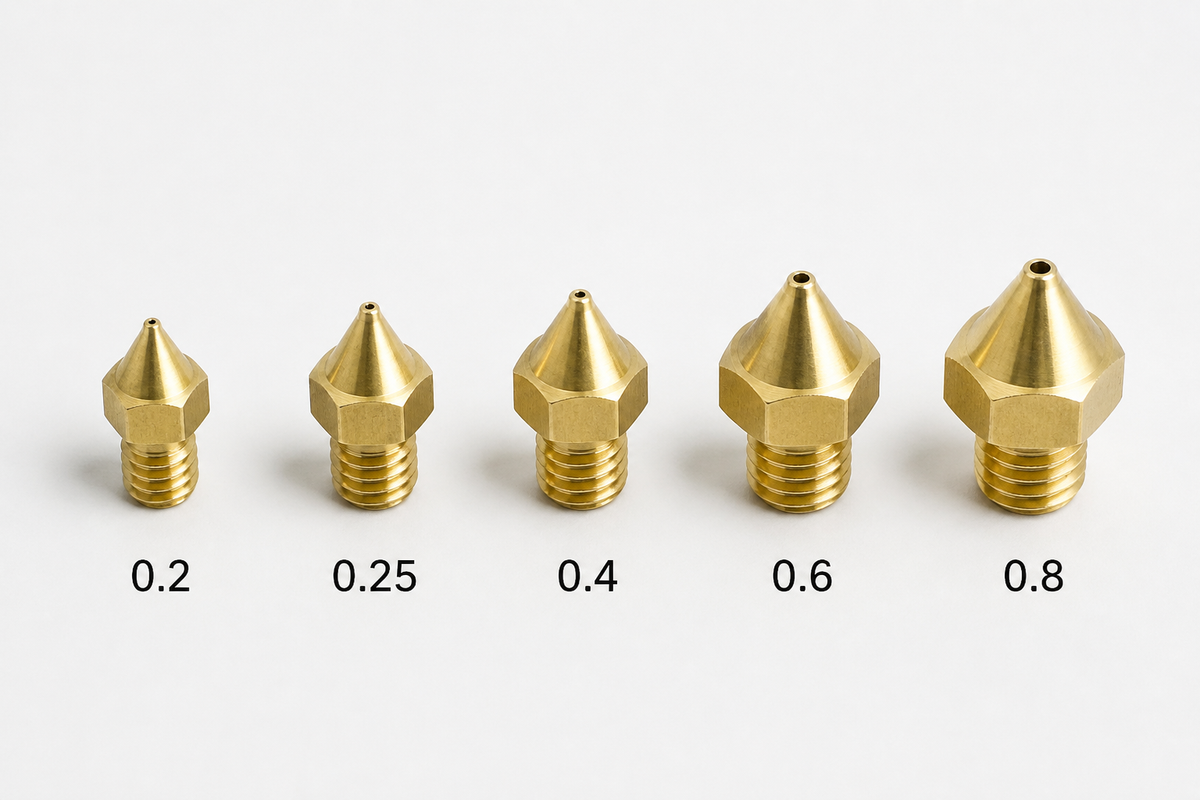
A 3D printing nozzle is a crucial element of a printer because it determines how well the print comes out. Attached to the machine's hotend, this single component can make a significant difference to your print. Therefore, knowing about different nozzle sizes is important.
That’s right, printer nozzles come in different sizes, each having a unique purpose. For example, a standard 0.4mm nozzle in a 3D printer could be used for regular printing, but if you wish to halve your print time, a 0.6mm nozzle is a better choice. Similarly, for finer details, you need the 0.2mm nozzle.
If you also wish to understand 3D printer nozzle sizes, we suggest following this nozzle size guide to get a clear idea.
What Is a 3D Printer Nozzle?
Before we discuss what nozzle size to use for a 3D printer, one needs to understand what a 3D printer nozzle is.
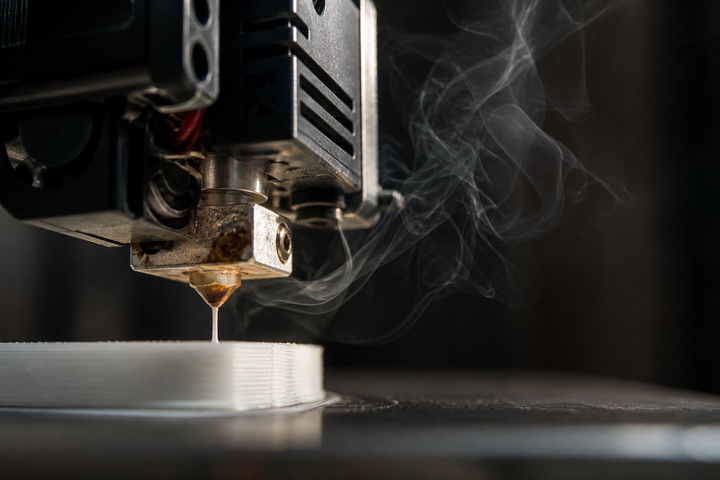
Well, it is a tiny component attached to the hotend of the machine from which the material comes out. In simple words, it's the opening that controls the flow of the melted filament.
The 3D printer nozzle diameter determines how much material will be extruded. Thus, the bigger the size, the more the extrusion, and you can check the size by counting the dots on E3D-style nozzles: 1 dot = 0.25mm, 2 dots = 0.4mm, 3 dots = 0.6mm.
Most FDM machines have a standard 0.4mm nozzle attached to the hotend, but at times this size can vary depending on user needs. Even the printer type can make a difference.
Most budget printers (including the Ender 3) use MK8-threaded nozzles, while Bambu Lab uses a proprietary system. Make sure you buy the right type for your machine — an MK8 nozzle won't fit a Bambu Lab hotend, and vice versa.
3D Printer Nozzle Size Chart
By now, most of you must have developed a basic idea of what these 3D printer nozzles are and how the 3D printer nozzle size or the 3d printer nozzle diameter makes all the difference. Keep in mind that different printing situations require different options, as explained by the following nozzle size guide.
| Nozzle | Min Layer Height | Max Layer Height | Best For | Speed |
|---|---|---|---|---|
| 0.2mm | 0.05mm | 0.16mm | Miniatures, jewelry, fine text | Very slow (3–4x longer) |
| 0.25mm | 0.06mm | 0.20mm | Detail with less clog risk than 0.2mm | Slow |
| 0.4mm | 0.08mm | 0.32mm | General purpose (90% of prints) | Standard |
| 0.6mm | 0.12mm | 0.48mm | Functional parts, faster prints | ~2x faster |
| 0.8mm | 0.16mm | 0.64mm | Large structural parts, vases | ~3x faster |
| 1.0mm | 0.20mm | 0.80mm | Rapid prototyping, props | ~4–5x faster |
Layer height matters too. As a general upper limit, keep it at or below about 80% of the nozzle diameter. That means a 0.4mm nozzle can reach roughly 0.32mm, although many printers produce more consistent results at 0.28mm or lower. In practice, the smallest layer height for a .4 nozzle is around 0.08mm — use this when you need a smoother surface finish.
Speed vs Detail: Why Nozzle Size Matters
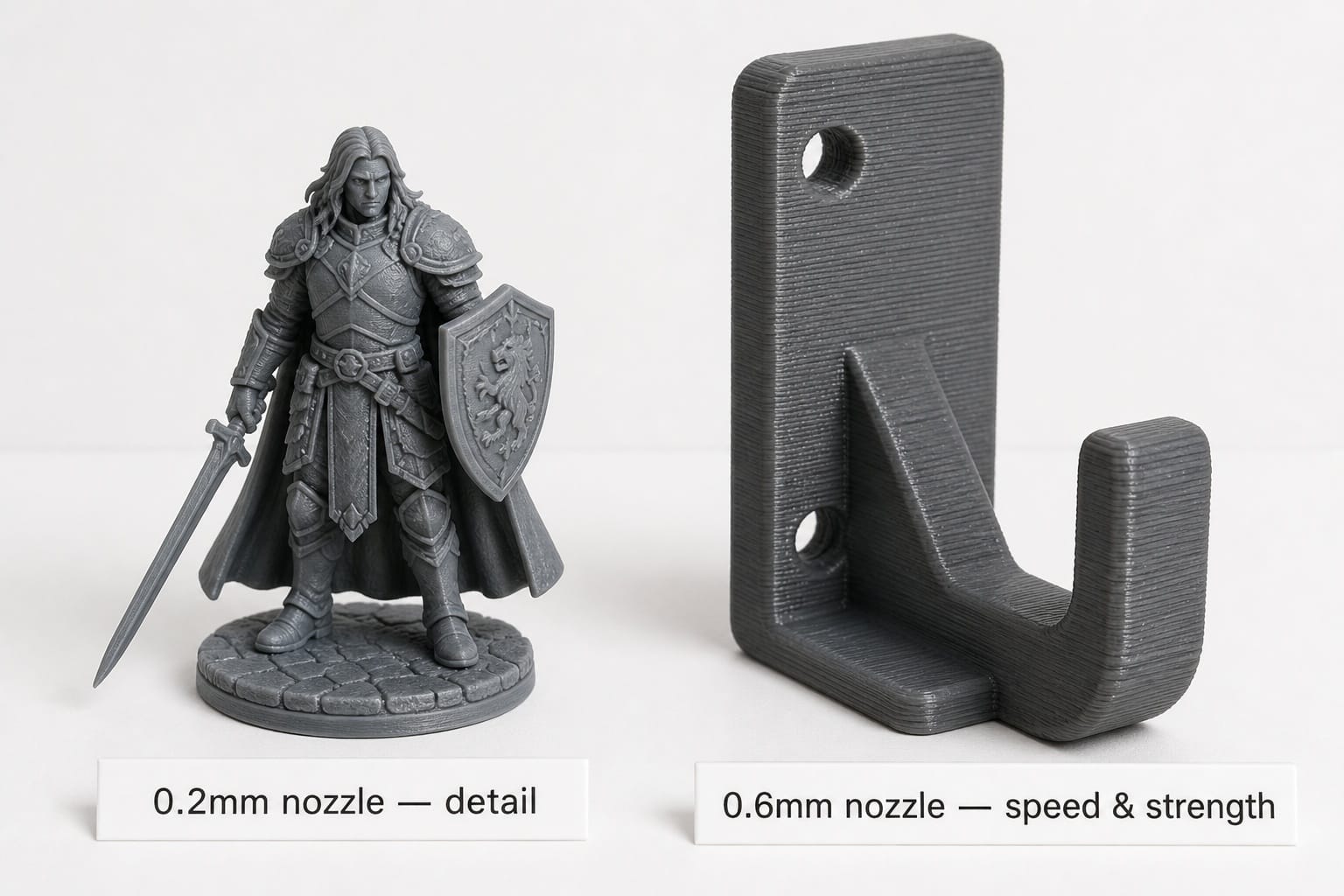
Being aware of 3D printer nozzle sizes is essential because an incorrect choice could make all the difference between a failed and a successful print. This brings us to the speed vs. detail discussion. Even though a nozzle is quite tiny, it determines the printing speed and print quality.
Those using a larger nozzle will experience a wider extrusion, which means fewer passes and faster prints. However, the lines will be thicker, and you won't get much fine detail. On the other hand, with smaller nozzles, you get much finer lines and more XY details.
The choice greatly depends on what you’re printing. If you plan on printing a flower pot or a piece of furniture, a larger nozzle is what you need.
If you are unsure which nozzle size to use, stay with the standard 0.4mm nozzle. It gives the best balance of detail, speed, and reliability for most prints. Choose a 0.6mm nozzle when you mainly print functional parts, larger models, or anything where saving time matters more than tiny details.
0.4 vs 0.6 Nozzle: Which Should You Use?
At this stage, some of you might feel that a 0.6 mm nozzle isn't the most suitable choice for you, and that the 0.4mm nozzle for a 3D printer is what you need. Others could find the 0.6 mm option to be the perfect one. Well, the .4 vs .6 nozzle decision is slightly confusing but not something to worry about.
What we have seen is that with a 0.4mm nozzle, you get finer lines and supports that are usually easier to remove, while still keeping print times reasonable. The 0.6mm nozzle, on the other hand, is an upgrade to the .4 option. Here, the printing speed multiplies by 2, the printed parts are around 25% stronger in impact resistance (tested by Prusa), and the quality isn't much impacted.
In simple words, we recommend staying with the 0.4 mm option when dealing with miniature structures, but the moment you are printing items like storage hooks or plant pots, an upgrade to the 0.6mm option is more feasible. If you only buy one extra nozzle, the 0.6mm is the one to get.
When to Use a 0.2mm Nozzle (and When It's Overkill)
Like the 0.4 and 0.6 mm nozzles, there is also the 0.2mm option. This nozzle is dedicated to producing better details, and if you want an outstanding result on a small FDM model, we recommend using the 0.2 mm option.
From fine lettering to miniature architectural designs, jewelry pieces, and small decorations, you could make almost anything with this specific nozzle. At times, when given the right conditions, it can even produce better results than a 0.4mm nozzle.
However, while it offers better precision, one must compromise on speed. Due to a smaller opening, it extrudes less material, which means it prints much slower than other options and can get clogged.
A 0.2mm nozzle works best with clean, dry filament that contains no particles. Avoid filled materials such as carbon-fiber, glass-fiber, glow-in-the-dark, sparkle, or wood-filled filaments, because they can clog the small opening.
That’s why instead of choosing the 0.2mm option, we suggest picking the 0.25mm nozzle. A 0.25mm nozzle is often the more practical compromise. It preserves much of the fine-detail benefit while being less prone to clogging than a 0.2mm nozzle, although it will still print more slowly than a 0.4mm nozzle.
Still, if the model is around 50mm and you are already using a layer height of almost 0.12mm with a 0.4mm nozzle, there is no reason to switch to a smaller 3D printer nozzle size. A single incorrect choice could have a lot of impact on your model, so weigh your options smartly.
Nozzle Materials: Brass vs Hardened Steel vs Ruby
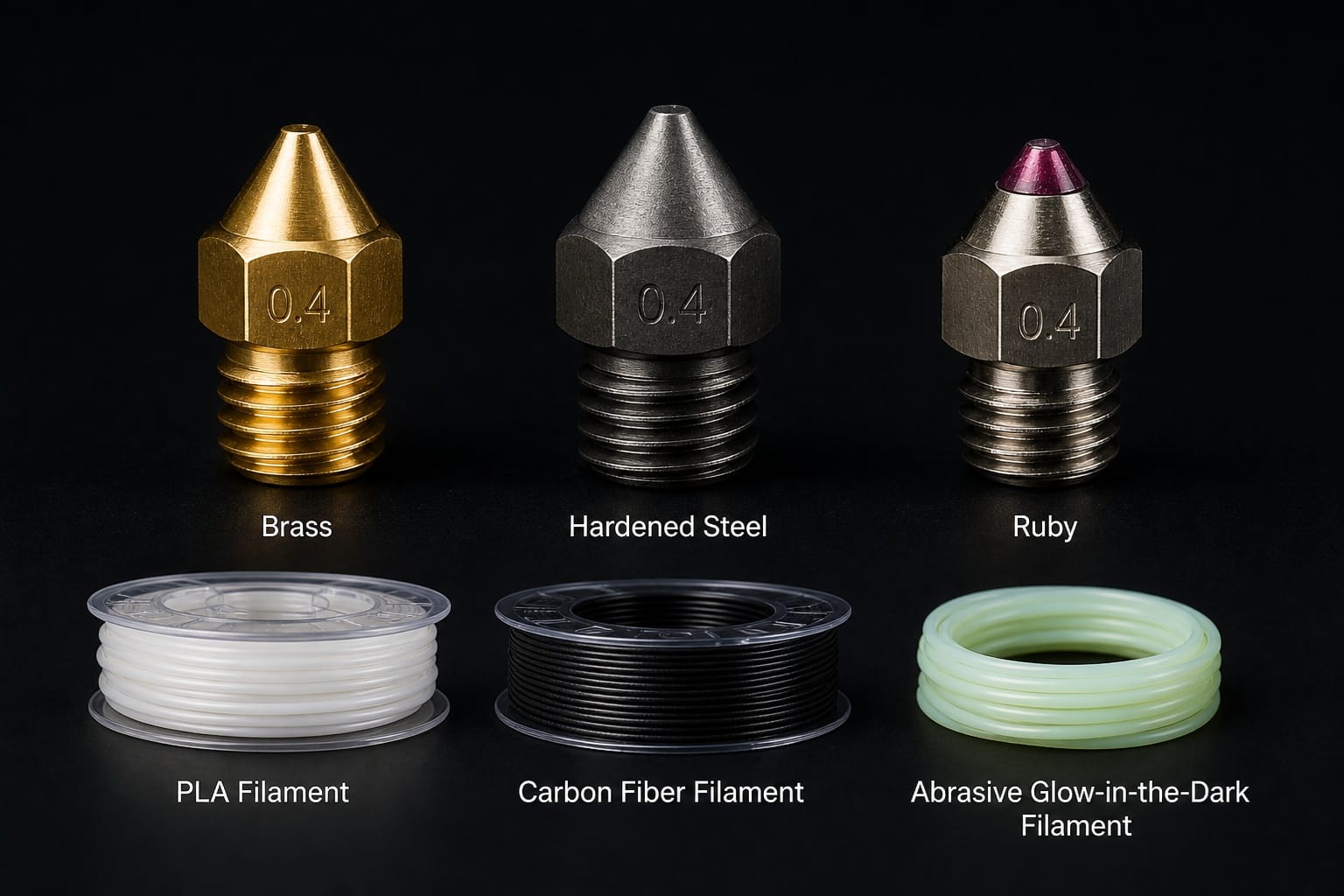
At this point, you will have clarity on standard 3D printer nozzle sizes and how a change of a few mm makes all the difference. Just like diameter, there is also a difference in the material of the nozzle.
If you thought all 3D printer nozzles are made of steel, you are mistaken. There are brass, hardened steel, and ruby nozzles available on the market. Each one works under different conditions.
The following table sheds light on which material suits what types of filament, along with its price range.
| Material | Best For | Avoid With | Price |
|---|---|---|---|
| Brass | PLA, PETG, TPU (standard) | CF, glow-in-dark, metal-fill | ~$2–5 |
| Hardened Steel | Abrasive or particle-filled filaments, such as CF, GF, glow-in-the-dark, and some wood-filled blends | — | ~$10–20 |
| Ruby-tipped or tungsten-carbide (premium) | Long-life with abrasives | — (premium) | ~$80+ |
As is visible from the table, different filaments require different nozzles. Brass is quite cheap and works with standard filaments but also wears fast with abrasive filaments. One minute you see fine lines, and the next minute, everything becomes inconsistent. Thus, the choice of material is equally important.
Those printing abrasive filaments (carbon fiber, glow-in-dark, metal-fill) need hardened steel — brass will wear out within days, causing inconsistent extrusion. So, the diameter selection is just a part of the nozzle decision. Without choosing the right nozzle material, you can't achieve success.
Slicer Settings to Change After Swapping Nozzles
Let's also not forget that a change of nozzle isn't the only task to worry about. Once done with the swap, you will need to adjust the slicer settings as well; otherwise, it won't know that you changed the nozzle from a 0.4mm to 0.6mm.
Here are a few things that need to be readjusted after the nozzle swap.
- Nozzle diameter: Before starting to print, make sure your printer knows the new nozzle diameter.
- Line width: The next thing to check is the line width. Usually, starting at 100–120% of the nozzle diameter is a good baseline.
- Layer height: Always respect the 80% max rule or keep it within a practical range.
- Flow rate: There could be slight extrusion changes, but you can easily fix them with a ±2–5% adjustment
- Retraction: Run a short retraction test after changing nozzle size. Do not assume it always needs to increase or decrease.
- Maximum volumetric speed: With 0.8mm and larger nozzles, reduce speed or check your hotend's flow limit to prevent under-extrusion.
With the right adjustments at the correct time, you can get the best results. To make these changes, you will either manually enter the new values or let the slicer auto-adjust. In Orca Slicer and Bambu Studio, changing the nozzle diameter in Printer Settings auto-adjusts most values. In Cura or PrusaSlicer, you'll need to manually update each setting or select a matching nozzle profile.
When to Replace Your Nozzle
As mentioned earlier, being aware of the nozzle diameter and material makes all the difference, but you also need to focus on replacing the nozzle when needed. These nozzles don't last forever, so when the time comes, make sure to replace the old one with a new version.
There are some clear signs to help you determine if your nozzle needs to be replaced, and the first is signs of wear. A clear indication of the problem is when your prints start to lose their quality despite having the perfect Z-offset settings. If the first layer looks wrong even after fixing every other aspect, then the problem lies with the nozzle.
The lifespan is also dependent on what type of printing you choose. Brass nozzles last for months when used with ordinary PLA, but the same nozzle won't last days when used with carbon-fiber filament.
That’s why regularly clean each part, monitor the print quality, and replace the nozzle once you see a visible difference in extrusion. A few preventive measures can secure your prints.
FAQs
What size nozzle should I use for a 3D printer?
The choice depends on your needs. A 0.4mm nozzle is best suited for most situations, but those who wish for speed could upgrade to a 0.6mm diameter. Whereas for miniature designs, a 0.2mm nozzle is perfect.
Can 1.75mm filament extrude through a 0.4mm nozzle?
Yes. 1.75mm is the filament diameter (input), and 0.4mm is the nozzle opening (output). The filament melts inside the hotend and is squeezed through the smaller nozzle — they're designed to work together.
Is .6 or .4 nozzle better?
When going for detail, the 0.4mm nozzle is a better choice, but for speed and strength, go with the 0.6 mm nozzle. Your preference and situation make all the difference.
How precise can one print with a .4 nozzle?
You can print miniature figures with clear precision thanks to the .4 nozzle. If you need to go into much finer detail, try switching to a 0.2 mm or 0.25 mm nozzle.
Comments ()