Why a 3D Printer Cannot Have Floating Layers (And How to Work Around It)
A 3D printer cannot have floating layers because molten plastic needs a solid surface underneath to bond to. Here are 5 ways to work around this limitation.
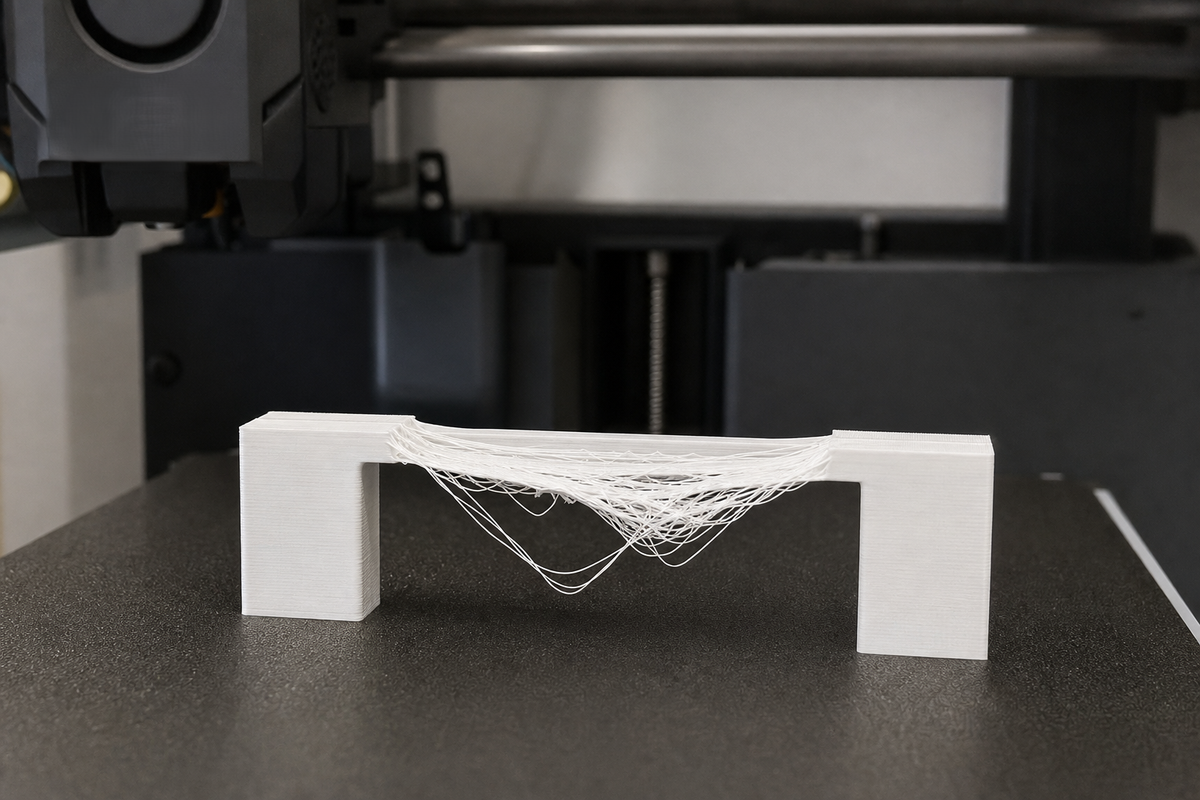
A 3D printer cannot have floating layers because each new layer of molten plastic needs a solid surface underneath to bond to. Without support, gravity pulls the soft material down before it solidifies. This is a hard physical limitation — but there are practical workarounds that let you print complex models anyway.
Why 3D Printers Can’t Print Floating Layers
The biggest reason comes down to how the material behaves the moment it leaves the nozzle.
Gravity Doesn’t Wait
In FDM printing, the filament comes out hot, soft and not fully solid yet. It takes a few seconds to cool and solidify.
Now, let’s stretch our imaginations a bit, say, you are trying to squeeze hot glue into thin air. Do you think the glue would remain perfectly straight? It won’t. It bends immediately. Printed plastic behaves the same way.
Layers Need Something to Hold Onto
A printer does not magically stack plastic in space.
Each layer slightly presses against the one underneath so both layers fuse together properly. That contact is what gives the print strength.
No contact underneath? No bond. The filament simply has nowhere to anchor itself.
Cooling Works Better with Support
Here is something beginners often overlook.
The layer below does more than provide structure, it also helps cool the fresh filament faster by absorbing heat. Without that contact, the material stays soft longer than it should.
Soft plastic plus gravity usually means sagging.
Does This Apply to Every Type of 3D Printer?
| Technology | Floating Layers Possible? | Reason |
|---|---|---|
| FDM | No | Melted plastic needs a base or support to rest upon while cooling. |
| SLA / Resin | No | Curing layers peel off the FEP film; unsupported sections tear or float away during separation. |
| SLS / MJF | Yes | Loose unsintered powder surrounds the part and naturally supports its geometry. |
How to Print Models with Floating Parts
A 3D printer cannot have floating layers — that's a hard physical limitation. But there are practical ways around it.
1. Add Support Structures
This is the obvious fix.
Most slicer software can automatically create temporary structures underneath unsupported areas while printing.
You will usually see:
- Tree supports (lighter and easier to remove)
- Grid supports (stronger but rougher finish)
- Soluble supports like PVA for dual-extruder setups
Print first, remove later.
2. Change the Orientation
Sometimes your model is fine, it is just facing the wrong direction.
Rotating a design can completely eliminate the unsupported section.
For example, a part that needs heavy supports upright may print perfectly when flipped upside down.
Quick fix. No extra material.
3. Adjust the Design Itself
Good 3D printing often starts with smarter design.
Replace sharp 90° overhangs with 45° chamfers or gradual slopes, so each layer still partly rests on the previous one.
An alternative is to split the model into smaller sections and put them together later.
4. Improve Bridging Performance
Not every unsupported section fails immediately.
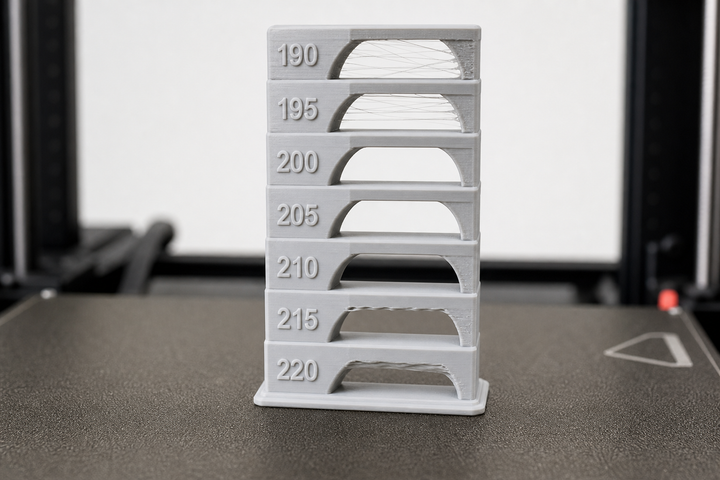
If filament only needs to stretch across a short gap, your printer can sometimes handle it.
To improve bridging:
- Lower print speed
- Turn cooling fan to maximum
- Use thinner layers
For many printers, 10–15 mm is manageable.
5. Use Another Printing Method
Some designs simply push FDM too far.
If the object has complex internal channels or truly isolated floating geometry, SLS or MJF printing works better because surrounding powder supports everything automatically.
You can outsource this if needed through services like JLCPCB or Xometry.
Quick Decision Guide
Do you have:
- Overhang larger than 45°? Use supports or rotate the model
- Small bridge under 15mm? Test bridging settings first
- Floating section completely isolated? Supports are unavoidable
- Internal cavity where supports cannot be removed? Use soluble support material or switch to SLS
Frequently Asked Questions
Can you do a 3D print floating object without supports?
Not with standard FDM or resin printers. Layers need something beneath them. SLS and MJF are the main exceptions.
What is the 45-degree rule in 3D printing?
Most printers can handle overhangs up to 45 degrees because a large portion of the new layer still connects with the previous one. However, anything past that point, supports are usually necessary.
How far can an FDM printer bridge without supports?
For most machines, around 10–15mm is realistic. Push beyond that and the filament usually starts drooping unless settings are carefully optimized.
Comments ()